
PREMIUM LOGIN
ClassTools Premium membership gives access to all templates, no advertisements, personal branding and many other benefits!
| Username: | ||
| Password: | ||
|
Submit
Cancel
|
||
| Not a member? | ||
PREMIUM LOGIN
ClassTools Premium membership gives access to all templates, no advertisements, personal branding and many other benefits!
| Username: | ||
| Password: | ||
|
Submit
Cancel
|
||
| Not a member? | ||
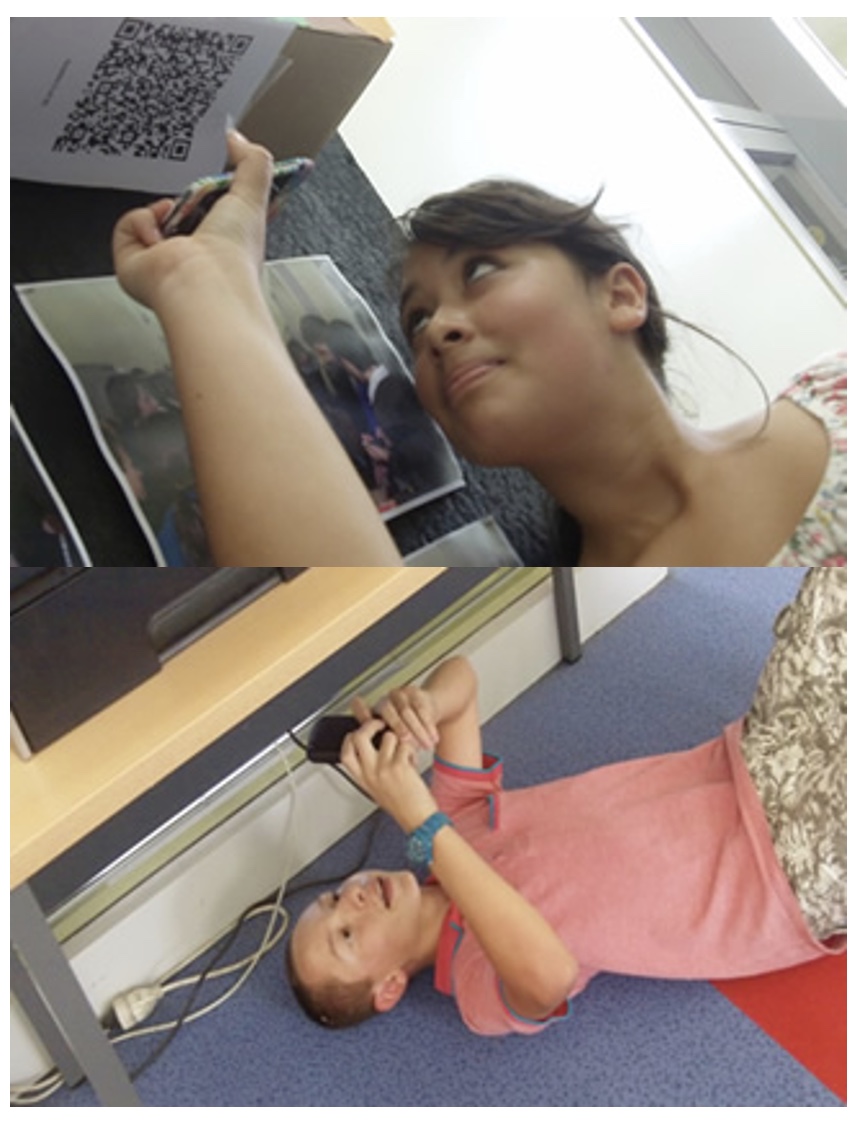
1. Arrange students into groups. Each group needs at least ONE person who has a mobile device.
2. If their phone camera doesn't automatically detect and decode QR codes, ask students to
4. Cut them out and place them around your class / school.
1. Give each group a clipboard and a piece of paper so they can write down the decoded questions and their answers to them.
2. Explain to the students that the codes are hidden around the school. Each team will get ONE point for each question they correctly decode and copy down onto their sheet, and a further TWO points if they can then provide the correct answer and write this down underneath the question.
3. Away they go! The winner is the first team to return with the most correct answers in the time available. This could be within a lesson, or during a lunchbreak, or even over several days!
4. A detailed case study in how to set up a successful QR Scavenger Hunt using this tool can be found here.
Question | Answer |
| 1. Cell address that does not change when copied in a formula | Absolute Reference | 2. Values or cell references (included between parentheses) that a function needs to complete its calculation | Argument | 3. Sort order arranging text or numbers from A to Z, from smallest to largest, or from earliest to latest | Ascending | 4. Built-in set of formatting instruction that applies fonts, colors, borders, and other formats to a range | AutoFormat | 5. Preset formatting including shading that can be applied to a table | AutoFormat | 6. Built-in mathematical function that determines the average of a block of cells | Average Function | 7. Data is represented by horizontal bars | Bar Graph | 8. What is shown in a chart, created from row or column headings | Category Axis | 9. Portion of a table that is formed by the intersection of a row and column | Cell | 10. Optional title or name for a chart | Chart Title | 11. Vertical group of cells in a table | Column | 12. A break that can happen automatically when a column is full and items automatically flow to the next column | Column Break | 13. A chart in which data is represented by vertical bars | Column Chart | 14. To trim a picture so only a portion of the original image shows | Crop | 15. Format data using commas and dollar signs | Currency Format | 16. Object that explains the colors, patterns, or symbols used in a chart | Data Marker | 17. One value from a data series | Data Point | 18. Contains variable information that is inserted into the main document during the mail-merging process | Data Source | 19. Collection of data organized in a manner that allows access, retrieval, and use of data | Database | 20. Sort order arranging text or numbers from Z to A, largest to smallest, or latest to earliest | Descending | 21. A single characteristic of data that appears in a table as a column | Field | 22. One piece of information – i.e., a name or a street address | Field | 23. A feature that allows the user to copy or fill data in cells adjacent to the original cell | Fill | 24. Allows user to merge or group pieces of information in the data source to match certain criteria | Filter | 25. Printing option that allows user to change page scaling | Fit To | 26. Text that appears in the bottom margin of a page throughout a section or document | Footer | 27. A database view that allows the user to see all fields for one row and enter them one at a time | Form | 28. A method of keeping certain rows or columns visible at all times (such as headings or certain labels | Freeze Title | 29. Built-in mathematical formula | Function | 30. Lines that mark the boundaries of cells in a table | Gridlines | 31. Page break inserted manually at a specific point in a document used to end the current page | Hard Page Break | 32. Text that appears in the top margin of a page throughout a section or document | Header | 33. A page layout in which documents are printed across the length of a page, making the page wider than it is tall | Landscape Orientation | 34. Object that explains the colors, patterns, or symbols used in a chart | Legend | 35. Chart in which data is represented by lines | Line Graph | 36. Feature used to mass produce form letters and other types of documents by combining the information in two documents, a main document and a data source | Mail Merge | 37. Contains both standard text and formatting that appears in the merged document, contains merge fields representing where variable information will be placed | Main Document | 38. Function that returns the highest number in a range of cells | Max Function | 39. A feature that combines a data document with a main document to mass produce personalized letters or other documents | Merge | 40. Codes placed in mail-merge documents to input pieces of information from data sources | Merge Fields | 41. Function that returns the lowest number in a range | Min Function | 42. Cell address that adjusts either the row or column when a formula is copied | Mixed Reference | 43. Alternative term for order of precedence | Order of Operations (PEMDAS) | 44. Formatting instructions applied to a paragraph; may include alignment, line spacing, paragraph spacing, indents, and character formatting | Paragraph Style | 45. A format that converts a decimal number to a percentage | Percentage Format | 46. Data is arranged in the shape of a pie with data represented by various various percentages of the pie | Pie Chart | 47. Rectangular area bound by the category and value axes | Plot Area | 48. A page layout in which documents are printed across the width of a page, making the page taller than it is wide | Portrait Orientation | 49. A field that uniquely identifies a record in a table | Primary Key | 50. A question presented in a way that allows the database to process and generates specific data from one or more tables | Query | 51. The collection of fields organized into a related group for mail-merging | Record | 52. A collection of fields that appear as a row in a database or table | Records | 53. Cell address that adjusts to the row or column where a copied formula is located | Relative Reference | 54. A document that uses data from tables and/or queries; the user controls which items in the database will appear in the report and how it is filtered or sorted | Report | 55. Horizontal line of cells in a table | Row | 56. Portion of a document that has its own unique formatting | Section | 57. Markers to indicate the beginning and end of a section | Section Break | 58. Page break that is inserted automatically when a page is filled; these breaks adjust as changes are made to the document | Soft Page Break | 59. To arrange a list alphabetically (text) or numerically (numbers), in ascending or descending order | Sort | 60. Sets of formatting specifications | Styles | 61. A database view of information arranged in a grid of rows and columns | Table | 62. Agrid of rows and columns that intersect to form cells | Table | 63. Design and formatted document on which new documents are based | Template | 64. An automatic feature that moves text to the next line when a line is full and text can no longer fit | Text Wrapping | 65. Horizontal or vertical grouping of values from the worksheet | Value Axis | 66. Projecting with a spreadsheet by changing the data | What-if Analysis | 67. A feature that allows text to be included with pictures, shapes, or tables without covering or hiding under the image, giving the user control over how the text is positioned | Wrap Text |

Question 1 (of 67)
Question 2 (of 67)
Question 3 (of 67)
Question 4 (of 67)
Question 5 (of 67)
Question 6 (of 67)
Question 7 (of 67)
Question 8 (of 67)
Question 9 (of 67)
Question 10 (of 67)
Question 11 (of 67)
Question 12 (of 67)
Question 13 (of 67)
Question 14 (of 67)
Question 15 (of 67)
Question 16 (of 67)
Question 17 (of 67)
Question 18 (of 67)
Question 19 (of 67)
Question 20 (of 67)
Question 21 (of 67)
Question 22 (of 67)
Question 23 (of 67)
Question 24 (of 67)
Question 25 (of 67)
Question 26 (of 67)
Question 27 (of 67)
Question 28 (of 67)
Question 29 (of 67)
Question 30 (of 67)
Question 31 (of 67)
Question 32 (of 67)
Question 33 (of 67)
Question 34 (of 67)
Question 35 (of 67)
Question 36 (of 67)
Question 37 (of 67)
Question 38 (of 67)
Question 39 (of 67)
Question 40 (of 67)
Question 41 (of 67)
Question 42 (of 67)
Question 43 (of 67)
Question 44 (of 67)
Question 45 (of 67)
Question 46 (of 67)
Question 47 (of 67)
Question 48 (of 67)
Question 49 (of 67)
Question 50 (of 67)
Question 51 (of 67)
Question 52 (of 67)
Question 53 (of 67)
Question 54 (of 67)
Question 55 (of 67)
Question 56 (of 67)
Question 57 (of 67)
Question 58 (of 67)
Question 59 (of 67)
Question 60 (of 67)
Question 61 (of 67)
Question 62 (of 67)
Question 63 (of 67)
Question 64 (of 67)
Question 65 (of 67)
Question 66 (of 67)
Question 67 (of 67)