View Premium →

PREMIUM LOGIN

ClassTools Premium membership gives access to all templates, no advertisements, personal branding and many other benefits!
 

Username:    
Password:    
Submit Cancel


Not a member?

JOIN NOW!


QR Challenge: CA 1 Vocabulary

Created using the ClassTools QR Treasure Hunt Generator

Teacher Notes

A. Prior to the lesson:

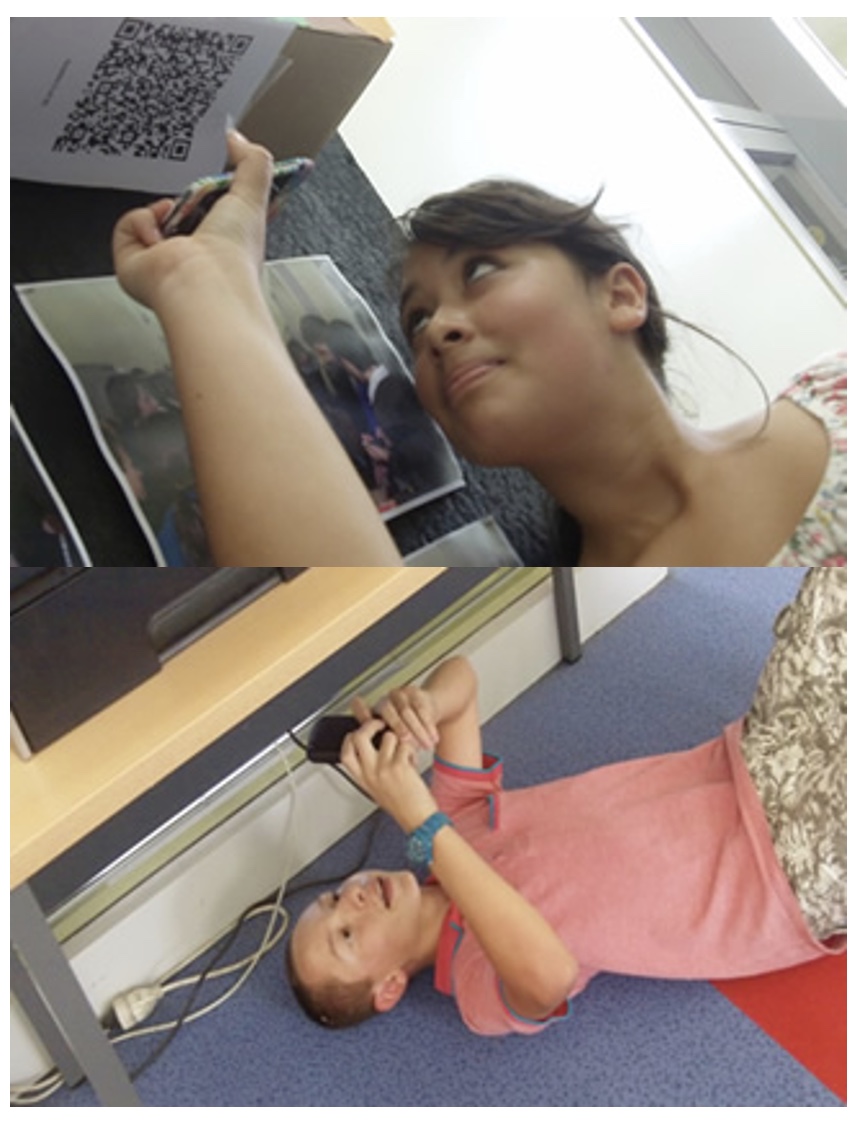
1. Arrange students into groups. Each group needs at least ONE person who has a mobile device.

2. If their phone camera doesn't automatically detect and decode QR codes, ask students to

3. Print out the QR codes.

4. Cut them out and place them around your class / school.


B. The lesson:

1. Give each group a clipboard and a piece of paper so they can write down the decoded questions and their answers to them.

2. Explain to the students that the codes are hidden around the school. Each team will get ONE point for each question they correctly decode and copy down onto their sheet, and a further TWO points if they can then provide the correct answer and write this down underneath the question.

3. Away they go! The winner is the first team to return with the most correct answers in the time available. This could be within a lesson, or during a lunchbreak, or even over several days!


C. TIPS / OTHER IDEAS

4. A detailed case study in how to set up a successful QR Scavenger Hunt using this tool can be found here.


Questions / Answers (teacher reference)

Question

Answer

1. Shortcut keys; keys used in combination to create actions or functions in a software package (nonbreaking spaces, em dashAccess Keys
2. The cell that appears outlined with a thick border on the worksheetActive Cell
3. Special effects added to objects or text on a slideAnimation
4. Any program that processes data for the user (inventory, payroll, spreadsheet, word processing, etc.)Application Software
5. File that is included with an e-mail that can be opened by the userAttachment
6. A word processing feature that automatically finishes certain text items or phrases after the user begins typing, such as dates, names, greetings, etc.AutoComplete
7. Deeting text to the left of the insertion pointBackspace
8. A program that allows a user to display HTML-developed Web pages.Browser
9. A symbol used to precede text, usually in an outline or a listBullets
10. Formal means of communication outside a businessBusiness Letter
11. The intersection of a row and a column where data or functions can be enteredCell
12. The letter and number that represent the intersection of the column and row to form that cellCell Address
13. Tmporary storage area where text or images are stored when cut or copied.Clipboard
14. Process of quitting the open window or application.Close
15. Vertical group of cells identified by a letter in a worksheet.Column
16. What is morally right or wrong when using computers, internet resources, and e-mail.Computer Ethics
17. A list of email addresses of friends and co-workers.Contact
18. A collection of information stored on the local computer of a World Wide Web user; used chiefly by Web sites to identify previous users.Cookie
19. To duplicate a selected object or text without removing the selection from its original place.Copy
20. A law that secures for a limited time to the creators the exclusive right to their works; copyright law protects such things as music, CDs, poetry, novels, books, artwork, movies, newspapers, magazines, photographs, etc.Copyright
21. Number format that prints dollar symbols and commas and specified decimal places.Currency
22. Insertion point in a document in the form of a blinking vertical line on the screen.Cursor
23. To move text or an image from one document to another or one location to another within a document.Cut
24. A tab that aligns to a certain position anchored by a decimal such as currency or numbers.Decimal Tab
25. The current setting or action taken by hardware or software if the user has not specified otherwise.Default
26. The current setting or action taken by hardware or software if the user has not specified otherwise.Default Setting
27. Preset tabs established by the software.Default Tabs
28. Removing text to the right of the insertion point.Delete
29. Provides consistency in design and color throughout the entire presentation.Design Template/Theme
30. A visual representation of data to help readers better understand relationships among data, such as organizational charts, Venn diagrams, and pyramids.Diagram
31. Electronic form of communication.E-mail
32. Laws regarding the use of copyrighted materials for educational and reporting purposes.Fair Use Laws
33. Saved sites in the user’s browser which are used frequentlyFavorites
34. The process of organizing files and folders; naming appropriately, using folders, etc.File Management
35. A tool used to look for certain words, documents, or formatting in a documentFind/Replace
36. A paragraph format in which the first line is indented from the left margin and subsequent lines are moved to the left marginFirst-line Indent
37. Location to save a document and organize many files.Folder
38. Storage directory for files or other folders on a computer.Folder
39. A type of design applied to an entire set of characters, such as Arial, Times New Roman, etc.Font
40. The height of characters in points.Font Size
41. Emphasis added to text such as underline, bold, italics, etc.Font Style
42. A series of calculations, expressions, numbers, and operators to carry out a command in mathematics.Formula
43. Shows only the digits in the number and no commas.General Format
44. A feature that checks sentence structure and punctuation in a document.Grammar Check
45. Printing option that puts multiple slides on a page, such as 3, 4, 6, or 9 per page.Handout
46. A paragraph format in which the first line is moved to the left margin and subsequent lines are indented from the left.Hanging Indent
47. Machinery and equipment (CPU, keyboard, monitor, printer).Hardware
48. Having equal white space on the left and right of a document.Horizontal Centering
49. Text, cell, or an object that when clicked “jumps to” another location, such as another file location or websiteHyperlink
50. Breaking words that extend beyond the right marginHyphenation
51. Hardware used to enter various types of data into a computer, such as a mouse, microphone, pen tablet, etc.Input Device
52. Used to switch from regular editing to typeover/overtype mode.Insert Key
53. A network of computers connected to each otherInternet
54. Entry in a cell that begins with a letter and is left-alignedLabel
55. A line of dots or dashes used to draw the eye across a printed page, such as a table of contentsLeaders
56. The amount of space between lines of textLine Spacing
57. The process of gaining entry into a computer or networkLog In
58. (, /, +, -, ^) symbols used in mathematical calculations.
59. The order in which calculations take place (exponents, parentheses, multiply/divide, add/subtract)Mathematical Order of Operations
60. Make window largerMaximize
61. Correspondence within a company or organizationMemo
62. Make window smaller; shrink to an icon on the taskbarMinimize
63. Hardware used to move cursor around a document or select menusMouse
64. A system that transmits any combination of voice, video, or data between users; includes the network operating system in the client and server machines, the cables connecting them, and all supporting hardware in between – such as bridges, routers, and switches, antennas, and towersNetwork
65. Hidden formatting marks that do not print and are helpful in locating formatting errors.Non-printing Characters
66. The software that runs on a computer that is responsible for file management, disks, peripherals, and the general operation of the computer system (such as Windows, Mac OS)Operating System
67. A view or printing option which shows only the textOutline
68. Hardware that lets the user view or hear processed dataOutput Device
69. (left, center, right, justify) – position of text in a documentParagraph Alignment
70. The amount of space before or after a paragraphParagraph Spacing
71. Keyword used to access information on a network, Web site, etc.Password
72. Place text or objects into a document from a clipboardPaste
73. Place text or objects into a document from a clipboardPaste
74. A graphics program that allows you to produce professional-looking slide showsPresentation Software
75. Menu option that allows user to look at a document before printing to ensure proper formattingPrint Preview
76. Editing a printed or electronic document for errorsProofreading
77. Materials that have no copyright and can be used without permissionPublic Domain
78. To place new text in the position of existing textReplace
79. Substituting all occurrences of words, phrases, or formatting in a documentReplace All
80. Option used to respond to a sender’s e-mailReply
81. A one page or multi-page document used to summarize research or findingsReports
82. To refresh or bring back to original position or sizeRestore
83. Horizontal group of cells identified by a number in a worksheet.Row
84. The process of naming and storing a file for use at a later time.Save
85. The process of renaming a file that already exists.Save As
86. A database website that allows the user to locate links to specific information given search criteria, such as Google, Yahoo, and BingSearch Engines
87. The last step in creating an e-mail correspondence.Send
88. Keyboard combination used to perform certain tasks, such as printing, saving, copying, bolding, etc.Shortcut Keys
89. The process of closing all applications and the operating systemShut Down
90. The area where you create, edit, and display information in a presentationSlide
91. Specifies the arrangement of placeholders on a slideSlide Layout
92. The animated way in which slides appear and leave the screen during a slide showSlide Transition
93. Instruction for the computer; a series of particular instructions that perform a particular task is called a programSoftware
94. A view or printing option that allows the user to add personal notes concerning the slide showSpeaker Notes
95. A feature used to locate and correct spelling errors.Spell Check
96. A computer that is not permanently connected to a local area network (LAN) or a wide area network (WAN)Standalone
97. The process of turning on the computer and logging into the operating system.Startup
98. Built-in formula that calculates the sum of a range of cellsSUM
99. Software made up of control programs, such as the operating system and database management system (DBMS)System Software
100. An onscreen toolbar that displays the active applications (tasks); clicking on this button restores the application to its previous appearanceTaskbar
101. A file that holds text without any formatting and can be opened in numerous applicationsText File
102. Tool used to look up synonyms for a selected word to add variety and interest in a document, such as a reportThesaurus
103. An option used to automate features in a slide show, such as slide transitions, animation, or audioTiming
104. Th address of a resource on the InternetUniversal Resource Locator (URL)
105. Entry in a cell that begins with a number and is right-alignedValue
106. Text with equal white space in the top and bottom marginsVertical Centering
107. Text automatically moves from one line to the next lineWord Wrap
108. A collection of worksheetsWorkbook
109. Individual page or sheet in a workbook, shown by a tab at the bottom of the screenWorksheet
110. A networked hypertext system that allows documents to be shared over the InternetWorld Wide Web (WWW)


CA 1 Vocabulary: QR Challenge

https://www.classtools.net/QR/decode.php?text=Shortcut_keys;_keys_used_in_combination_to_create_actions_or_functions_in_a_software_package_(nonbreaking_spaces,_em_dash

Question 1 (of 110)


CA 1 Vocabulary: QR Challenge

https://www.classtools.net/QR/decode.php?text=The_cell_that_appears_outlined_with_a_thick_border_on_the_worksheet

Question 2 (of 110)


CA 1 Vocabulary: QR Challenge

https://www.classtools.net/QR/decode.php?text=Special_effects_added_to_objects_or_text_on_a_slide

Question 3 (of 110)


CA 1 Vocabulary: QR Challenge

https://www.classtools.net/QR/decode.php?text=Any_program_that_processes_data_for_the_user_(inventory,_payroll,_spreadsheet,_word_processing,_etc.)

Question 4 (of 110)


CA 1 Vocabulary: QR Challenge

https://www.classtools.net/QR/decode.php?text=File_that_is_included_with_an_e-mail_that_can_be_opened_by_the_user

Question 5 (of 110)


CA 1 Vocabulary: QR Challenge

https://www.classtools.net/QR/decode.php?text=A_word_processing_feature_that_automatically_finishes_certain_text_items_or_phrases_after_the_user_begins_typing,_such_as_dates,_names,_greetings,_etc.

Question 6 (of 110)


CA 1 Vocabulary: QR Challenge

https://www.classtools.net/QR/decode.php?text=Deeting_text_to_the_left_of_the_insertion_point

Question 7 (of 110)


CA 1 Vocabulary: QR Challenge

https://www.classtools.net/QR/decode.php?text=A_program_that_allows_a_user_to_display_HTML-developed_Web_pages.

Question 8 (of 110)


CA 1 Vocabulary: QR Challenge

https://www.classtools.net/QR/decode.php?text=A_symbol_used_to_precede_text,_usually_in_an_outline_or_a_list

Question 9 (of 110)


CA 1 Vocabulary: QR Challenge

https://www.classtools.net/QR/decode.php?text=Formal_means_of_communication_outside_a_business

Question 10 (of 110)


CA 1 Vocabulary: QR Challenge

https://www.classtools.net/QR/decode.php?text=The_intersection_of_a_row_and_a_column_where_data_or_functions_can_be_entered

Question 11 (of 110)


CA 1 Vocabulary: QR Challenge

https://www.classtools.net/QR/decode.php?text=The_letter_and_number_that_represent_the_intersection_of_the_column_and_row_to_form_that_cell

Question 12 (of 110)


CA 1 Vocabulary: QR Challenge

https://www.classtools.net/QR/decode.php?text=Tmporary_storage_area_where_text_or_images_are_stored_when_cut_or_copied.

Question 13 (of 110)


CA 1 Vocabulary: QR Challenge

https://www.classtools.net/QR/decode.php?text=Process_of_quitting_the_open_window_or_application.

Question 14 (of 110)


CA 1 Vocabulary: QR Challenge

https://www.classtools.net/QR/decode.php?text=Vertical_group_of_cells_identified_by_a_letter_in_a_worksheet.

Question 15 (of 110)


CA 1 Vocabulary: QR Challenge

https://www.classtools.net/QR/decode.php?text=What_is_morally_right_or_wrong_when_using_computers,_internet_resources,_and_e-mail.

Question 16 (of 110)


CA 1 Vocabulary: QR Challenge

https://www.classtools.net/QR/decode.php?text=A_list_of_email_addresses_of_friends_and_co-workers.

Question 17 (of 110)


CA 1 Vocabulary: QR Challenge

https://www.classtools.net/QR/decode.php?text=A_collection_of_information_stored_on_the_local_computer_of_a_World_Wide_Web_user;_used_chiefly_by_Web_sites_to_identify_previous_users.

Question 18 (of 110)


CA 1 Vocabulary: QR Challenge

https://www.classtools.net/QR/decode.php?text=To_duplicate_a_selected_object_or_text_without_removing_the_selection_from_its_original_place.

Question 19 (of 110)


CA 1 Vocabulary: QR Challenge

https://www.classtools.net/QR/decode.php?text=A_law_that_secures_for_a_limited_time_to_the_creators_the_exclusive_right_to_their_works;_copyright_law_protects_such_things_as_music,_CDs,_poetry,_novels,_books,_artwork,_movies,_newspapers,_magazines,_photographs,_etc.

Question 20 (of 110)


CA 1 Vocabulary: QR Challenge

https://www.classtools.net/QR/decode.php?text=Number_format_that_prints_dollar_symbols_and_commas_and_specified_decimal_places.

Question 21 (of 110)


CA 1 Vocabulary: QR Challenge

https://www.classtools.net/QR/decode.php?text=Insertion_point_in_a_document_in_the_form_of_a_blinking_vertical_line_on_the_screen.

Question 22 (of 110)


CA 1 Vocabulary: QR Challenge

https://www.classtools.net/QR/decode.php?text=To_move_text_or_an_image_from_one_document_to_another_or_one_location_to_another_within_a_document.

Question 23 (of 110)


CA 1 Vocabulary: QR Challenge

https://www.classtools.net/QR/decode.php?text=A_tab_that_aligns_to_a_certain_position_anchored_by_a_decimal_such_as_currency_or_numbers.

Question 24 (of 110)


CA 1 Vocabulary: QR Challenge

https://www.classtools.net/QR/decode.php?text=The_current_setting_or_action_taken_by_hardware_or_software_if_the_user_has_not_specified_otherwise.

Question 25 (of 110)


CA 1 Vocabulary: QR Challenge

https://www.classtools.net/QR/decode.php?text=The_current_setting_or_action_taken_by_hardware_or_software_if_the_user_has_not_specified_otherwise.

Question 26 (of 110)


CA 1 Vocabulary: QR Challenge

https://www.classtools.net/QR/decode.php?text=Preset_tabs_established_by_the_software.

Question 27 (of 110)


CA 1 Vocabulary: QR Challenge

https://www.classtools.net/QR/decode.php?text=Removing_text_to_the_right_of_the_insertion_point.

Question 28 (of 110)


CA 1 Vocabulary: QR Challenge

https://www.classtools.net/QR/decode.php?text=Provides_consistency_in_design_and_color_throughout_the_entire_presentation.

Question 29 (of 110)


CA 1 Vocabulary: QR Challenge

https://www.classtools.net/QR/decode.php?text=A_visual_representation_of_data_to_help_readers_better_understand_relationships_among_data,_such_as_organizational_charts,_Venn_diagrams,_and_pyramids.

Question 30 (of 110)


CA 1 Vocabulary: QR Challenge

https://www.classtools.net/QR/decode.php?text=Electronic_form_of_communication.

Question 31 (of 110)


CA 1 Vocabulary: QR Challenge

https://www.classtools.net/QR/decode.php?text=Laws_regarding_the_use_of_copyrighted_materials_for_educational_and_reporting_purposes.

Question 32 (of 110)


CA 1 Vocabulary: QR Challenge

https://www.classtools.net/QR/decode.php?text=Saved_sites_in_the_user’s_browser_which_are_used_frequently

Question 33 (of 110)


CA 1 Vocabulary: QR Challenge

https://www.classtools.net/QR/decode.php?text=The_process_of_organizing_files_and_folders;_naming_appropriately,_using_folders,_etc.

Question 34 (of 110)


CA 1 Vocabulary: QR Challenge

https://www.classtools.net/QR/decode.php?text=A_tool_used_to_look_for_certain_words,_documents,_or_formatting_in_a_document

Question 35 (of 110)


CA 1 Vocabulary: QR Challenge

https://www.classtools.net/QR/decode.php?text=A_paragraph_format_in_which_the_first_line_is_indented_from_the_left_margin_and_subsequent_lines_are_moved_to_the_left_margin

Question 36 (of 110)


CA 1 Vocabulary: QR Challenge

https://www.classtools.net/QR/decode.php?text=Location_to_save_a_document_and_organize_many_files.

Question 37 (of 110)


CA 1 Vocabulary: QR Challenge

https://www.classtools.net/QR/decode.php?text=Storage_directory_for_files_or_other_folders_on_a_computer.

Question 38 (of 110)


CA 1 Vocabulary: QR Challenge

https://www.classtools.net/QR/decode.php?text=A_type_of_design_applied_to_an_entire_set_of_characters,_such_as_Arial,_Times_New_Roman,_etc.

Question 39 (of 110)


CA 1 Vocabulary: QR Challenge

https://www.classtools.net/QR/decode.php?text=The_height_of_characters_in_points.

Question 40 (of 110)


CA 1 Vocabulary: QR Challenge

https://www.classtools.net/QR/decode.php?text=Emphasis_added_to_text_such_as_underline,_bold,_italics,_etc.

Question 41 (of 110)


CA 1 Vocabulary: QR Challenge

https://www.classtools.net/QR/decode.php?text=A_series_of_calculations,_expressions,_numbers,_and_operators_to_carry_out_a_command_in_mathematics.

Question 42 (of 110)


CA 1 Vocabulary: QR Challenge

https://www.classtools.net/QR/decode.php?text=Shows_only_the_digits_in_the_number_and_no_commas.

Question 43 (of 110)


CA 1 Vocabulary: QR Challenge

https://www.classtools.net/QR/decode.php?text=A_feature_that_checks_sentence_structure_and_punctuation_in_a_document.

Question 44 (of 110)


CA 1 Vocabulary: QR Challenge

https://www.classtools.net/QR/decode.php?text=Printing_option_that_puts_multiple_slides_on_a_page,_such_as_3,_4,_6,_or_9_per_page.

Question 45 (of 110)


CA 1 Vocabulary: QR Challenge

https://www.classtools.net/QR/decode.php?text=A_paragraph_format_in_which_the_first_line_is_moved_to_the_left_margin_and_subsequent_lines_are_indented_from_the_left.

Question 46 (of 110)


CA 1 Vocabulary: QR Challenge

https://www.classtools.net/QR/decode.php?text=Machinery_and_equipment_(CPU,_keyboard,_monitor,_printer).

Question 47 (of 110)


CA 1 Vocabulary: QR Challenge

https://www.classtools.net/QR/decode.php?text=Having_equal_white_space_on_the_left_and_right_of_a_document.

Question 48 (of 110)


CA 1 Vocabulary: QR Challenge

https://www.classtools.net/QR/decode.php?text=Text,_cell,_or_an_object_that_when_clicked_“jumps_to”_another_location,_such_as_another_file_location_or_website

Question 49 (of 110)


CA 1 Vocabulary: QR Challenge

https://www.classtools.net/QR/decode.php?text=Breaking_words_that_extend_beyond_the_right_margin

Question 50 (of 110)


CA 1 Vocabulary: QR Challenge

https://www.classtools.net/QR/decode.php?text=Hardware_used_to_enter_various_types_of_data_into_a_computer,_such_as_a_mouse,_microphone,_pen_tablet,_etc.

Question 51 (of 110)


CA 1 Vocabulary: QR Challenge

https://www.classtools.net/QR/decode.php?text=Used_to_switch_from_regular_editing_to_typeover/overtype_mode.

Question 52 (of 110)


CA 1 Vocabulary: QR Challenge

https://www.classtools.net/QR/decode.php?text=A_network_of_computers_connected_to_each_other

Question 53 (of 110)


CA 1 Vocabulary: QR Challenge

https://www.classtools.net/QR/decode.php?text=Entry_in_a_cell_that_begins_with_a_letter_and_is_left-aligned

Question 54 (of 110)


CA 1 Vocabulary: QR Challenge

https://www.classtools.net/QR/decode.php?text=A_line_of_dots_or_dashes_used_to_draw_the_eye_across_a_printed_page,_such_as_a_table_of_contents

Question 55 (of 110)


CA 1 Vocabulary: QR Challenge

https://www.classtools.net/QR/decode.php?text=The_amount_of_space_between_lines_of_text

Question 56 (of 110)


CA 1 Vocabulary: QR Challenge

https://www.classtools.net/QR/decode.php?text=The_process_of_gaining_entry_into_a_computer_or_network

Question 57 (of 110)


CA 1 Vocabulary: QR Challenge

https://www.classtools.net/QR/decode.php?text=(

Question 58 (of 110)


CA 1 Vocabulary: QR Challenge

https://www.classtools.net/QR/decode.php?text=The_order_in_which_calculations_take_place_(exponents,_parentheses,_multiply/divide,_add/subtract)

Question 59 (of 110)


CA 1 Vocabulary: QR Challenge

https://www.classtools.net/QR/decode.php?text=Make_window_larger

Question 60 (of 110)


CA 1 Vocabulary: QR Challenge

https://www.classtools.net/QR/decode.php?text=Correspondence_within_a_company_or_organization

Question 61 (of 110)


CA 1 Vocabulary: QR Challenge

https://www.classtools.net/QR/decode.php?text=Make_window_smaller;_shrink_to_an_icon_on_the_taskbar

Question 62 (of 110)


CA 1 Vocabulary: QR Challenge

https://www.classtools.net/QR/decode.php?text=Hardware_used_to_move_cursor_around_a_document_or_select_menus

Question 63 (of 110)


CA 1 Vocabulary: QR Challenge

https://www.classtools.net/QR/decode.php?text=A_system_that_transmits_any_combination_of_voice,_video,_or_data_between_users;_includes_the_network_operating_system_in_the_client_and_server_machines,_the_cables_connecting_them,_and_all_supporting_hardware_in_between_–_such_as_bridges,_routers,_and_switches,_antennas,_and_towers

Question 64 (of 110)


CA 1 Vocabulary: QR Challenge

https://www.classtools.net/QR/decode.php?text=Hidden_formatting_marks_that_do_not_print_and_are_helpful_in_locating_formatting_errors.

Question 65 (of 110)


CA 1 Vocabulary: QR Challenge

https://www.classtools.net/QR/decode.php?text=The_software_that_runs_on_a_computer_that_is_responsible_for_file_management,_disks,_peripherals,_and_the_general_operation_of_the_computer_system_(such_as_Windows,_Mac_OS)

Question 66 (of 110)


CA 1 Vocabulary: QR Challenge

https://www.classtools.net/QR/decode.php?text=A_view_or_printing_option_which_shows_only_the_text

Question 67 (of 110)


CA 1 Vocabulary: QR Challenge

https://www.classtools.net/QR/decode.php?text=Hardware_that_lets_the_user_view_or_hear_processed_data

Question 68 (of 110)


CA 1 Vocabulary: QR Challenge

https://www.classtools.net/QR/decode.php?text=(left,_center,_right,_justify)_–_position_of_text_in_a_document

Question 69 (of 110)


CA 1 Vocabulary: QR Challenge

https://www.classtools.net/QR/decode.php?text=The_amount_of_space_before_or_after_a_paragraph

Question 70 (of 110)


CA 1 Vocabulary: QR Challenge

https://www.classtools.net/QR/decode.php?text=Keyword_used_to_access_information_on_a_network,_Web_site,_etc.

Question 71 (of 110)


CA 1 Vocabulary: QR Challenge

https://www.classtools.net/QR/decode.php?text=Place_text_or_objects_into_a_document_from_a_clipboard

Question 72 (of 110)


CA 1 Vocabulary: QR Challenge

https://www.classtools.net/QR/decode.php?text=Place_text_or_objects_into_a_document_from_a_clipboard

Question 73 (of 110)


CA 1 Vocabulary: QR Challenge

https://www.classtools.net/QR/decode.php?text=A_graphics_program_that_allows_you_to_produce_professional-looking_slide_shows

Question 74 (of 110)


CA 1 Vocabulary: QR Challenge

https://www.classtools.net/QR/decode.php?text=Menu_option_that_allows_user_to_look_at_a_document_before_printing_to_ensure_proper_formatting

Question 75 (of 110)


CA 1 Vocabulary: QR Challenge

https://www.classtools.net/QR/decode.php?text=Editing_a_printed_or_electronic_document_for_errors

Question 76 (of 110)


CA 1 Vocabulary: QR Challenge

https://www.classtools.net/QR/decode.php?text=Materials_that_have_no_copyright_and_can_be_used_without_permission

Question 77 (of 110)


CA 1 Vocabulary: QR Challenge

https://www.classtools.net/QR/decode.php?text=To_place_new_text_in_the_position_of_existing_text

Question 78 (of 110)


CA 1 Vocabulary: QR Challenge

https://www.classtools.net/QR/decode.php?text=Substituting_all_occurrences_of_words,_phrases,_or_formatting_in_a_document

Question 79 (of 110)


CA 1 Vocabulary: QR Challenge

https://www.classtools.net/QR/decode.php?text=Option_used_to_respond_to_a_sender’s_e-mail

Question 80 (of 110)


CA 1 Vocabulary: QR Challenge

https://www.classtools.net/QR/decode.php?text=A_one_page_or_multi-page_document_used_to_summarize_research_or_findings

Question 81 (of 110)


CA 1 Vocabulary: QR Challenge

https://www.classtools.net/QR/decode.php?text=To_refresh_or_bring_back_to_original_position_or_size

Question 82 (of 110)


CA 1 Vocabulary: QR Challenge

https://www.classtools.net/QR/decode.php?text=Horizontal_group_of_cells_identified_by_a_number_in_a_worksheet.

Question 83 (of 110)


CA 1 Vocabulary: QR Challenge

https://www.classtools.net/QR/decode.php?text=The_process_of_naming_and_storing_a_file_for_use_at_a_later_time.

Question 84 (of 110)


CA 1 Vocabulary: QR Challenge

https://www.classtools.net/QR/decode.php?text=The_process_of_renaming_a_file_that_already_exists.

Question 85 (of 110)


CA 1 Vocabulary: QR Challenge

https://www.classtools.net/QR/decode.php?text=A_database_website_that_allows_the_user_to_locate_links_to_specific_information_given_search_criteria,_such_as_Google,_Yahoo,_and_Bing

Question 86 (of 110)


CA 1 Vocabulary: QR Challenge

https://www.classtools.net/QR/decode.php?text=The_last_step_in_creating_an_e-mail_correspondence.

Question 87 (of 110)


CA 1 Vocabulary: QR Challenge

https://www.classtools.net/QR/decode.php?text=Keyboard_combination_used_to_perform_certain_tasks,_such_as_printing,_saving,_copying,_bolding,_etc.

Question 88 (of 110)


CA 1 Vocabulary: QR Challenge

https://www.classtools.net/QR/decode.php?text=The_process_of_closing_all_applications_and_the_operating_system

Question 89 (of 110)


CA 1 Vocabulary: QR Challenge

https://www.classtools.net/QR/decode.php?text=The_area_where_you_create,_edit,_and_display_information_in_a_presentation

Question 90 (of 110)


CA 1 Vocabulary: QR Challenge

https://www.classtools.net/QR/decode.php?text=Specifies_the_arrangement_of_placeholders_on_a_slide

Question 91 (of 110)


CA 1 Vocabulary: QR Challenge

https://www.classtools.net/QR/decode.php?text=The_animated_way_in_which_slides_appear_and_leave_the_screen_during_a_slide_show

Question 92 (of 110)


CA 1 Vocabulary: QR Challenge

https://www.classtools.net/QR/decode.php?text=Instruction_for_the_computer;_a_series_of_particular_instructions_that_perform_a_particular_task_is_called_a_program

Question 93 (of 110)


CA 1 Vocabulary: QR Challenge

https://www.classtools.net/QR/decode.php?text=A_view_or_printing_option_that_allows_the_user_to_add_personal_notes_concerning_the_slide_show

Question 94 (of 110)


CA 1 Vocabulary: QR Challenge

https://www.classtools.net/QR/decode.php?text=A_feature_used_to_locate_and_correct_spelling_errors.

Question 95 (of 110)


CA 1 Vocabulary: QR Challenge

https://www.classtools.net/QR/decode.php?text=A_computer_that_is_not_permanently_connected_to_a_local_area_network_(LAN)_or_a_wide_area_network_(WAN)

Question 96 (of 110)


CA 1 Vocabulary: QR Challenge

https://www.classtools.net/QR/decode.php?text=The_process_of_turning_on_the_computer_and_logging_into_the_operating_system.

Question 97 (of 110)


CA 1 Vocabulary: QR Challenge

https://www.classtools.net/QR/decode.php?text=Built-in_formula_that_calculates_the_sum_of_a_range_of_cells

Question 98 (of 110)


CA 1 Vocabulary: QR Challenge

https://www.classtools.net/QR/decode.php?text=Software_made_up_of_control_programs,_such_as_the_operating_system_and_database_management_system_(DBMS)

Question 99 (of 110)


CA 1 Vocabulary: QR Challenge

https://www.classtools.net/QR/decode.php?text=An_onscreen_toolbar_that_displays_the_active_applications_(tasks);_clicking_on_this_button_restores_the_application_to_its_previous_appearance

Question 100 (of 110)


CA 1 Vocabulary: QR Challenge

https://www.classtools.net/QR/decode.php?text=A_file_that_holds_text_without_any_formatting_and_can_be_opened_in_numerous_applications

Question 101 (of 110)


CA 1 Vocabulary: QR Challenge

https://www.classtools.net/QR/decode.php?text=Tool_used_to_look_up_synonyms_for_a_selected_word_to_add_variety_and_interest_in_a_document,_such_as_a_report

Question 102 (of 110)


CA 1 Vocabulary: QR Challenge

https://www.classtools.net/QR/decode.php?text=An_option_used_to_automate_features_in_a_slide_show,_such_as_slide_transitions,_animation,_or_audio

Question 103 (of 110)


CA 1 Vocabulary: QR Challenge

https://www.classtools.net/QR/decode.php?text=Th_address_of_a_resource_on_the_Internet

Question 104 (of 110)


CA 1 Vocabulary: QR Challenge

https://www.classtools.net/QR/decode.php?text=Entry_in_a_cell_that_begins_with_a_number_and_is_right-aligned

Question 105 (of 110)


CA 1 Vocabulary: QR Challenge

https://www.classtools.net/QR/decode.php?text=Text_with_equal_white_space_in_the_top_and_bottom_margins

Question 106 (of 110)


CA 1 Vocabulary: QR Challenge

https://www.classtools.net/QR/decode.php?text=Text_automatically_moves_from_one_line_to_the_next_line

Question 107 (of 110)


CA 1 Vocabulary: QR Challenge

https://www.classtools.net/QR/decode.php?text=A_collection_of_worksheets

Question 108 (of 110)


CA 1 Vocabulary: QR Challenge

https://www.classtools.net/QR/decode.php?text=Individual_page_or_sheet_in_a_workbook,_shown_by_a_tab_at_the_bottom_of_the_screen

Question 109 (of 110)


CA 1 Vocabulary: QR Challenge

https://www.classtools.net/QR/decode.php?text=A_networked_hypertext_system_that_allows_documents_to_be_shared_over_the_Internet

Question 110 (of 110)