
PREMIUM LOGIN
ClassTools Premium membership gives access to all templates, no advertisements, personal branding and many other benefits!
| Username: | ||
| Password: | ||
|
Submit
Cancel
|
||
| Not a member? | ||
PREMIUM LOGIN
ClassTools Premium membership gives access to all templates, no advertisements, personal branding and many other benefits!
| Username: | ||
| Password: | ||
|
Submit
Cancel
|
||
| Not a member? | ||
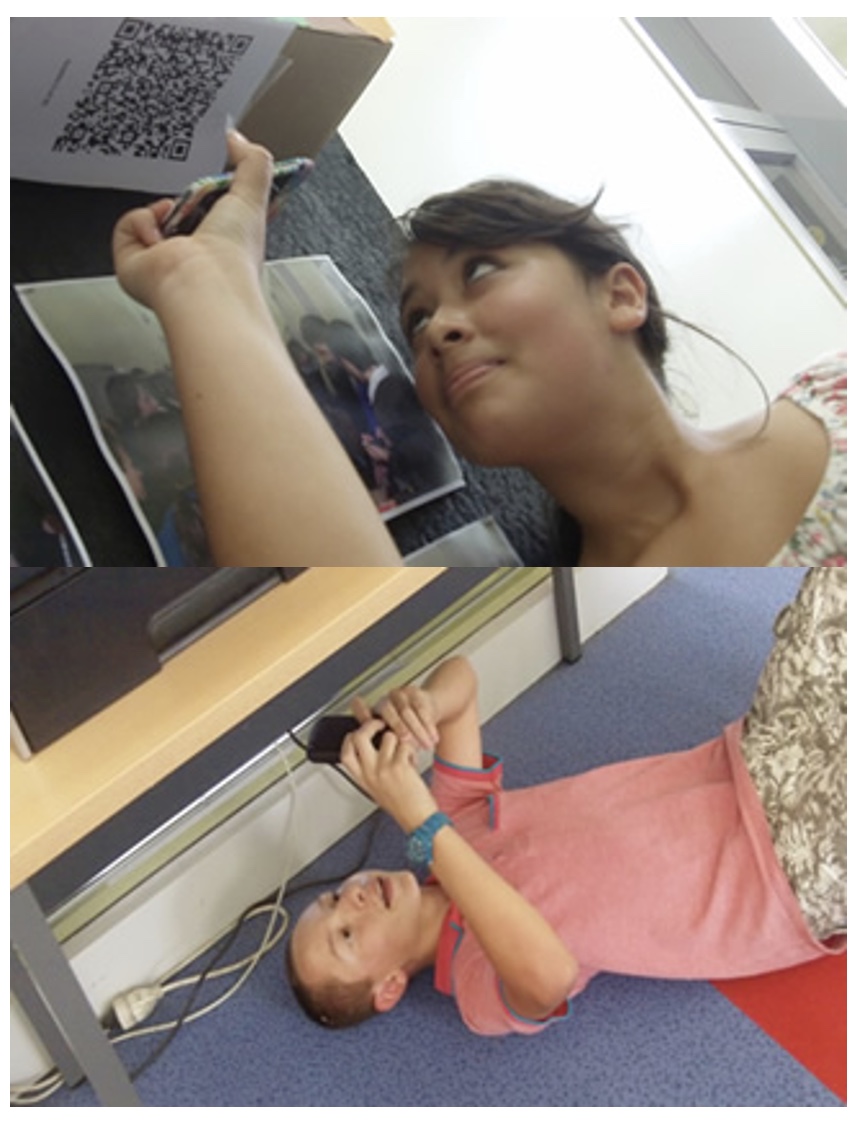
1. Arrange students into groups. Each group needs at least ONE person who has a mobile device.
2. If their phone camera doesn't automatically detect and decode QR codes, ask students to
4. Cut them out and place them around your class / school.
1. Give each group a clipboard and a piece of paper so they can write down the decoded questions and their answers to them.
2. Explain to the students that the codes are hidden around the school. Each team will get ONE point for each question they correctly decode and copy down onto their sheet, and a further TWO points if they can then provide the correct answer and write this down underneath the question.
3. Away they go! The winner is the first team to return with the most correct answers in the time available. This could be within a lesson, or during a lunchbreak, or even over several days!
4. A detailed case study in how to set up a successful QR Scavenger Hunt using this tool can be found here.
Question | Answer |
| 1. Directions- Using the QR codes that you find in the lobby of District Office, please navigate through this QR code scavenger hunt. It is important that you follow a random order to the QR codes so we don't have too many people in one office at a time. After you have scanned a QR code, please initial on the sheet of paper to indicate that you've completed that question. Once you've scanned the QR code in the lobby, find the appropriate office, scan the QR code in that office and ask the question found via that code to the staff members in that area. Once you have recorded your answer, return to the lobby and choose a new QR code. Continue until you've answered all 15 questions or time ends. Please note that offices are located on 1st floor, 2nd floor and downstairs. | directions only | 2. Location 1- Who are the two staff members who work in the Payroll Department | Lynn & Anne | 3. Question 1- How is my semi-monthly payroll calculated? | Answer | 4. Location 2- Who is the Assistant Superintendent for Instruction's secretary? | Lori Eichas | 5. Question 2- What web-based system is used to house our curriculum projects? | Atlas | 6. Location 3- Who runs the District's food services program? | Gary Miner | 7. Question 3- How much does a lunch costs these days? | answer | 8. Location 4- Who are the people in human resources that will answer most of your attendance and credits/certification questions? | answer | 9. Question 4a- I will not be coming in to work today and I need a substitute, what do I need to do to call in my absence? | answer | 10. Question 4b- Who could best answer a question you have about graduate credits and in-service credit? | answer | 11. Location 5- Who is the attendance clerk? | Chris Davis | 12. Question 5- If I need to take a personal day, what is the correct procedure for taking that day off? | answer | 13. Location 6- Who runs the District's print shop? | Maureen Grace | 14. Question 6- How much lead time should you provide the print shop when submitting a print request? | answer | 15. Location 7- Who are the three secretaries who work in the special education department? | answer | 16. Question 7- What is the first step in seeking a referral for a CSE? | answer | 17. Location 8- Who are our two data management specialists? | answer | 18. Question 8- What student data management system is used in Spencerport? | answer | 19. Location 9- Who is the secretary for Professional Development & Student Information Systems? | answer | 20. Question 9- What is the enrollment period in WinCap PD for our yearly Classes for 2014-2015? | answer | 21. Location 10- Who is the District's Director of Human Resources? | answer | 22. Question 10- How many hours do I need to accumulate if I have my professional certificate? | answer | 23. Location 11- Who REALLY runs the athletics schedule for the district? | answer | 24. Question 11- When is the first Varsity Football game? | answer | 25. Location 12- Who do you call when you need help with your technology?? | M. LaPlaca | 26. Question 12- I am unable to print, I am getting an “error” message on my computer, what is the phone number for the help desk? | answer | 27. Location 13- Who manages WinCap and WinCap PD for the district? | Colleen Crocetti | 28. Question 13- You try and log-in to WinCap PD and you are unable, you have already tried to reset your password what number do you call for help? | answer | 29. Location 14- Who is the district's Purchasing Clerk? | answer | 30. Question 14- Who is the proper person for you to contact for purchasing items for your classroom? | answer | 31. Location 15- Who is the Superintendent's secretary? | answer | 32. Question 15- When is the next Board of Education meeting? | answer |

Question 1 (of 32)
Question 2 (of 32)
Question 3 (of 32)
Question 4 (of 32)
Question 5 (of 32)
Question 6 (of 32)
Question 7 (of 32)
Question 8 (of 32)
Question 9 (of 32)
Question 10 (of 32)
Question 11 (of 32)
Question 12 (of 32)
Question 13 (of 32)
Question 14 (of 32)
Question 15 (of 32)
Question 16 (of 32)
Question 17 (of 32)
Question 18 (of 32)
Question 19 (of 32)
Question 20 (of 32)
Question 21 (of 32)
Question 22 (of 32)
Question 23 (of 32)
Question 24 (of 32)
Question 25 (of 32)
Question 26 (of 32)
Question 27 (of 32)
Question 28 (of 32)
Question 29 (of 32)
Question 30 (of 32)
Question 31 (of 32)
Question 32 (of 32)