
PREMIUM LOGIN
ClassTools Premium membership gives access to all templates, no advertisements, personal branding and many other benefits!
| Username: | ||
| Password: | ||
|
Submit
Cancel
|
||
| Not a member? | ||
PREMIUM LOGIN
ClassTools Premium membership gives access to all templates, no advertisements, personal branding and many other benefits!
| Username: | ||
| Password: | ||
|
Submit
Cancel
|
||
| Not a member? | ||
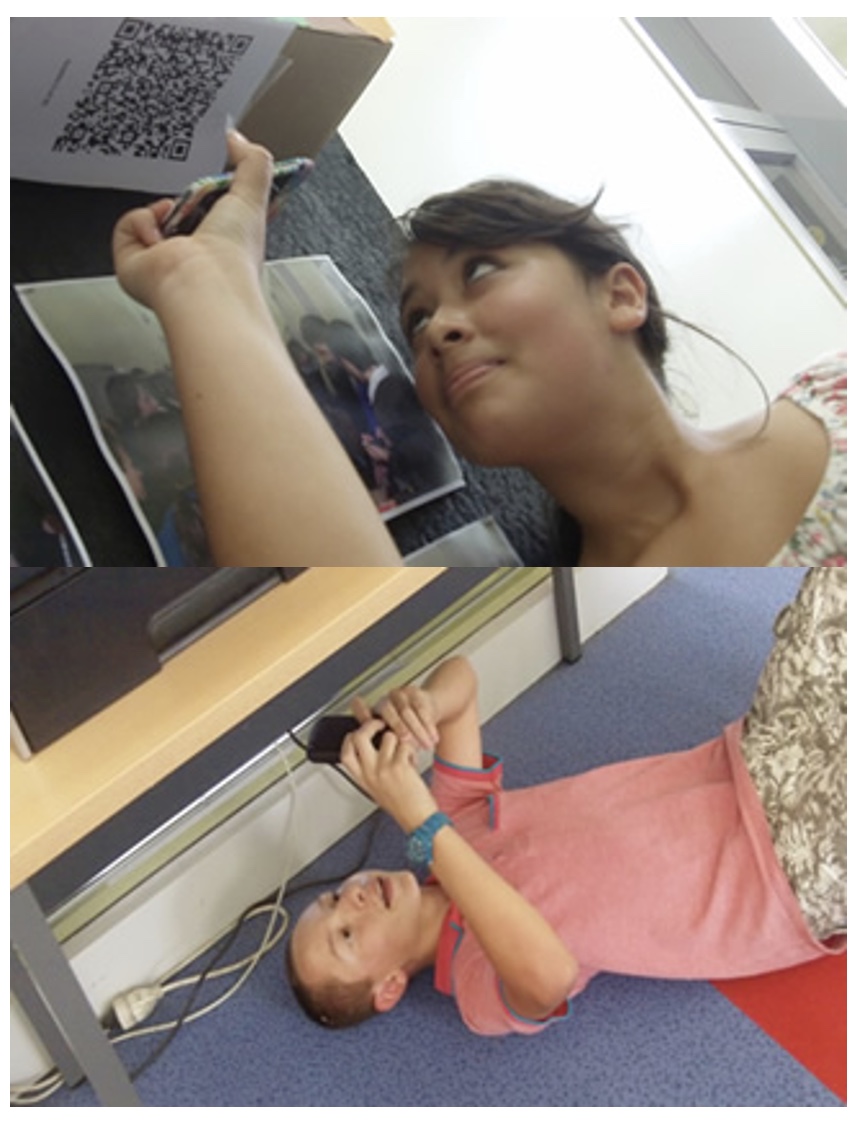
1. Arrange students into groups. Each group needs at least ONE person who has a mobile device.
2. If their phone camera doesn't automatically detect and decode QR codes, ask students to
4. Cut them out and place them around your class / school.
1. Give each group a clipboard and a piece of paper so they can write down the decoded questions and their answers to them.
2. Explain to the students that the codes are hidden around the school. Each team will get ONE point for each question they correctly decode and copy down onto their sheet, and a further TWO points if they can then provide the correct answer and write this down underneath the question.
3. Away they go! The winner is the first team to return with the most correct answers in the time available. This could be within a lesson, or during a lunchbreak, or even over several days!
4. A detailed case study in how to set up a successful QR Scavenger Hunt using this tool can be found here.
Question | Answer |
| 1. [L1A] - If your name is Melissa, Lindsay, Kelly, Briana, or Serena you are in Group 1. You may not start the activity until all group members are accounted for. Then proceed to Room 352. | gr1A | 2. [L2A] - If your name is Sam, John, Dakota, Jon, or Vicki you are in Group 2. You may not start the activity until all group members are accounted for. Then proceed to the cafe on the 1st floor. | gr2A | 3. [L3A] - If your name is Chanel, Jacki, Danielle, Kelsey, or Amanda you are in Group 3. You may not start the activity until all group members are accounted for. Then proceed to the Teacher Ed department door on the 3rd floor. | gr3A | 4. [L4A] - If your name is Nick, Alyssa, Nicole, Rich, or Erica you are in Group 4. You may not start the activity until all group members are accounted for. Then proceed to the Glass Block area (new business center) on the 1st floor. | gr4A | 5. [L1A] - If your name is Tiffany, Gloria, Erin, Katie H. or Jilian you are in Group 1. You may not start the activity until all group members are accounted for. Then proceed to Room 352. | gr1A | 6. [L2A] - If your name is Alden, Patricia, Kat F, Christiana, or Katie L. you are in Group 2. You may not start the activity until all group members are accounted for. Then proceed to the cafe on the 1st floor. | gr2A | 7. [L3A] - If your name is Angela, Lucy, Nicole, John, or Meredith you are in Group 3. You may not start the activity until all group members are accounted for. Then proceed to the Teacher Ed department door on the 3rd floor. | gr3A | 8. [L4A] - If your name is Lucia, Danielle, Hannah, Kristen, or Lizzie you are in Group 4. You may not start the activity until all group members are accounted for. Then proceed to the Glass Block area (new business center) on the 1st floor. | gr4A | 9. [L1A] - If your name is Nicole (both), Courtney, AJ, or Catherine you are in Group 1. You may not start the activity until all group members are accounted for. Then proceed to Room 352. | gr1A | 10. [L2A] - If your name is Jess, Katie, Tracie, or Emily you are in Group 2. You may not start the activity until all group members are accounted for. Then proceed to the cafe on the 1st floor. | gr2A | 11. [L3A] - If your name is Kiersten, Tara, Sunny, Natalie you are in Group 3. You may not start the activity until all group members are accounted for. Then proceed to the Teacher Ed department door on the 3rd floor. | gr3A | 12. [L4A] - If your name is Angela, Tarik, Lauren, or Kelly you are in Group 4. You may not start the activity until all group members are accounted for. Then proceed to the Glass Block area (new business center) on the 1st floor. | gr4A | 13. [O1B] - Look at the cartoon on the door called “This is Progress.” Each member of your team should add a reaction to the TodaysMeet for this class: https://todaysmeet.com/qrhunt . Then proceed to the cafe on the 1st floor. | gr1b | 14. [C2B] – Everybody who has a smartphone should log-in to Socrative using the app (room educ150) and take the 3-question quiz. When everyone has finished, go to the Teacher Education center near EDUC 388. | gr2b | 15. [T3B] - From your mobile phones, figure out how to post a group selfie to this Padlet wall: Padlet.com/em585/qrhunt. Then proceed to the area on the 1st floor that has glass blocks and is the new business center. | gr3b | 16. [B4B] - Find out an interesting historical fact about Marist College (must be before 1970) and have a member of your group tweet it out with the hashtag #educ150. Proceed to Room 352. | gr4b | 17. [C1C] - Everybody who has a smartphone should log-in to Socrative using the app (room educ150) and take the 3-question quiz. When everyone has finished, go to the Teacher Education center near EDUC 388. | gr1c | 18. [T2C] - From your mobile phones, figure out how to post a group selfie to this Padlet wall: Padlet.com/em585/qrhunt. Then proceed to the area on the 1st floor that has glass blocks and is the new business center. | gr2c | 19. [B3C] - Find out an interesting historical fact about Marist College (must be before 1970) and have a member of your group tweet it out with the hashtag #educ150. Proceed to room 352. | gr3c | 20. [O4C] - Take a look at the comic on this door. Look at the cartoon on the door called “This is Progress”. Each member of your team should add a reaction to the TodaysMeet for this class: https://todaysmeet.com/qrhunt . Then proceed to the cafe on the 1st floor. | gr4c | 21. [T1D] - From your mobile phones, figure out how to post a group selfie to this Padlet wall: Padlet.com/em585/qrhunt. Then proceed to the area on the 1st floor that has glass blocks and is the new business center. | gr1d | 22. [B2D] - Find out an interesting historical fact about Marist College (must be before 1970) and have a member of your group tweet it out with the hashtag #educ150. Then proceed to room 352. | gr2d | 23. [O3D] - Take a look at the comic on this door. Look at the cartoon on the door called “This is Progress”. Each member of your team should add a reaction to the TodaysMeet for this class: https://todaysmeet.com/qrhunt . Then proceed to the cafe on the 1st floor. | gr3d | 24. [C4D] - Everybody who has a smartphone should log-in to Socrative using the app (room educ150) and take the 3-question quiz. When everyone has finished, go to the Teacher Education center near EDUC 388. | gr4d | 25. [B1E] – Find out an interesting historical fact about Marist College (must be before 1970) and have a member of your group tweet it out with the hashtag #educ150. Return to the Computer Lab. | gr1e | 26. [O2E] - Take a look at the comic on this door. Look at the cartoon on the door called “This is Progress”. Each member of your team should add a reaction to the TodaysMeet for this class: https://todaysmeet.com/qrhunt . Then return to the computer lab. | gr2e | 27. [C3E] - Everybody who has a smartphone should log-in to Socrative using the app (room educ150) and take the 3-question quiz. When everyone has finished, go to the Teacher Education center near EDUC 388. Then return to the computer lab. | gr3e | 28. [T4E] - From your mobile phones, figure out how to post a group selfie to this Padlet wall: Padlet.com/em585/qrhunt. Then return to the computer lab. | gr4e |

Question 1 (of 28)
Question 2 (of 28)
Question 3 (of 28)
Question 4 (of 28)
Question 5 (of 28)
Question 6 (of 28)
Question 7 (of 28)
Question 8 (of 28)
Question 9 (of 28)
Question 10 (of 28)
Question 11 (of 28)
Question 12 (of 28)
Question 13 (of 28)
Question 14 (of 28)
Question 15 (of 28)
Question 16 (of 28)
Question 17 (of 28)
Question 18 (of 28)
Question 19 (of 28)
Question 20 (of 28)
Question 21 (of 28)
Question 22 (of 28)
Question 23 (of 28)
Question 24 (of 28)
Question 25 (of 28)
Question 26 (of 28)
Question 27 (of 28)
Question 28 (of 28)