Overview
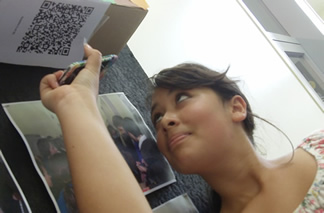
QR Code Scavenger Hunt
A QR Code is simply a piece of text, encoded as a black and white mosaic. Students can decode these using a mobile device running a free app (e.g. I-Nigma | NeoReader | Kaywa).
- If the QR code represents a piece of text (e.g. a useful fact, or an answer to a question) this will simply be displayed on the screen without there even being a need for an internet connection.
- If the QR code is instead a link to a webpage or an online video, this resource will be loaded immediately provided there is an internet connection.
QR codes are therefore a great way to draw students into reading fresh information and visiting useful websites and giving them new information.
The Bookmarklet
I have written this simple application to allow you to create a QR code for any webpage you are visiting with just one click. Simply visit this page and follow the instructions:
QR Coder
When you click the button it will create a QR code of the page you’re visiting.
You can also highlight text on a page and the button will then create a QR code based just on that text.
For many more ideas about how QR codes can be used in education, check out the ClassTools QR Scavenger Hunt Generator:

Taking it further
- Create QR codes which direct students to the best website for revising key topic areas. Put each one on a different sheet of paper with the title “To learn more about X, scan this code!”
- Create QR codes which are textual answers to key questions. Place the QR code on a sheet of paper, with the question above it and the prompt (“To find the answer to this question, scan the code!”).
- Create QR codes which sit alongside a key image (for example, an unnamed historical character). Students are challenged to scan the code, which takes them to a webpage about that person. They then have to make notes as appropriate or answer a key question which is also provided, or maybe rearrange the QR codes into the correct categories / chronological order to successfully complete the task.